When a Cursor Checkpoint Doesn't Bring Your Code Back
Cursor’s Agent saves checkpoints before it makes significant changes, and clicking one restores every modified file to that state. When it works, it’s quick. But the Cursor forum has a steady run of reports of it not working, such as Checkpoints are still broken (August 2026) and Lost 2000 lines of code, where a file was emptied and the checkpoint didn’t restore it.
If You’ve Lost Code Right Now
Try these first, in order. None needs anything new installed.
- Undo in the editor. If the file is still open, ⌘Z may still have the old text.
- Local History (Timeline). Cursor is built on VS Code, which keeps a local history of saved files. Open the Explorer’s Timeline view on the file, or run Local History: Find Entry to Restore from the Command Palette. This is the fix users in the forum thread above recommend.
- Git.
git diffandgit stash listshow what is still in the repository.git reflogfinds commits you moved away from. - Time Machine or another backup, for files that were saved and backed up.
Why It Happens Again
A checkpoint belongs to one Agent session and restores a whole point in it. It doesn’t cover your own edits as a separate history, it doesn’t let you take out one change and keep later ones, and anything made outside the Agent isn’t in it.
Keep a Full History From Now On
Aember is a Mac code editor that records every change to the project’s files, by anyone, as it happens. You don’t have to switch editors to use it as a safety net: keep the project open in Aember beside Cursor, and every change Cursor writes to disk is recorded as a change made outside Aember. A History pane then shows any file at any of those moments, and Restore File or Restore Change puts back the whole file or just the lines you want.
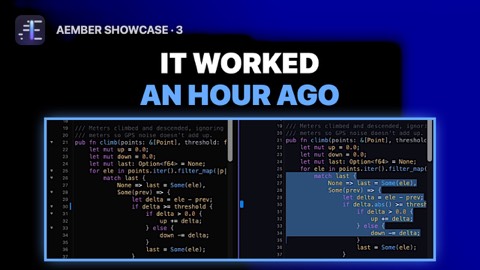 Showcase 3
It Worked an Hour AgoA test passed an hour ago and fails now. Find the one edit that broke it and take back just that.
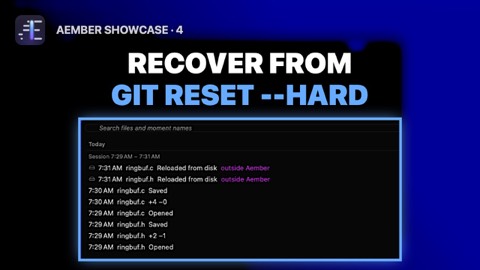 Showcase 4
Recover from git reset --hardUncommitted work wiped by git reset --hard comes back from History.
To get more than that, use Aember as the editor and let your agents work through it. Claude Code, Codex, GitHub Copilot and Gemini CLI can connect to Aember’s MCP server, and then each change is recorded as that agent’s, and Undo This Change… takes out one of them and keeps everything else. See Undo One Change Claude Code Made and AI and Agents.
What Aember can’t do: bring back a version it never saw. It records a file from the first time it reads it, so set it up before you need it. Recording is always on and free; browsing and restoring needs a license or the free two-week trial.