See Exactly What Your Coding Agent Changed, Without Git
git diff shows how the files differ from the last commit. When an agent has been working for an hour alongside you, that diff is everything at once: its changes, yours, and whatever the formatter did, with no way to tell them apart or to see the order they happened in.
What You Want to Know
- Which files did the agent change, and which did I?
- What did each of its calls do?
- What did this file look like before the agent first touched it?
- Who wrote these lines?
Seeing It in Aember
Aember records every change to your project’s files as a moment, saved or not, with who made it: you, an agent under the name it connected with, the language server, the formatter, git, or a program outside Aember. You don’t need git, and nothing is written into your project.
- The History Timeline (⌘Y) lists the project’s moments, newest first, grouped by day and session. Each row shows the file, the lines changed and who made the change. An agent’s changes start with an agent icon. See Browse the History Timeline.
- A History pane shows a file at any moment beside the live editor, with a scrubber to move through its moments and a seam that shows what changed. See Show a File’s History.
- History for Selection shows only the moments that changed the lines you selected, such as one function, back to where they were first written. See See the History of a Selection.
- Parking the window shows the whole project as it was at a moment, read-only, with search working on that moment. See Park the Window at a Moment.
- “Before” moments. Before an agent first changes a file, Aember names the file’s latest moment “Before”, the agent’s name and the time, so you can compare with it in one step.
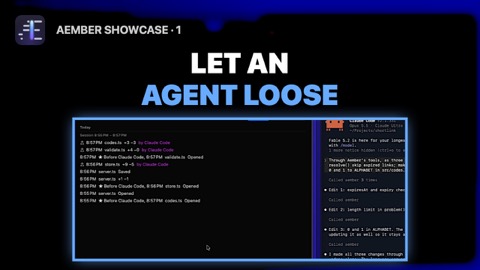 Showcase 1
Let an Agent Loose, Then Take Back Only What You Don't WantClaude Code makes three changes while you work; one is wrong, so you undo just that one and keep the rest.
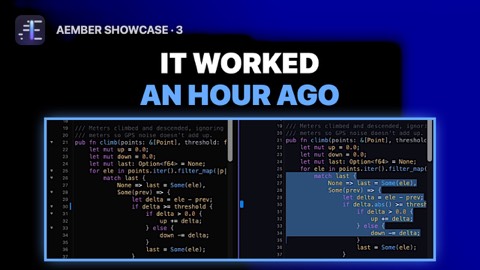 Showcase 3
It Worked an Hour AgoA test passed an hour ago and fails now. Find the one edit that broke it and take back just that.
Agents connected to Aember can ask the same questions: its why tool tells an agent who wrote some lines and when, so you can ask Claude Code “why is this line here?” and get an answer from History, not a guess.
Which Agents
- Agents that edit through Aember’s MCP server are recorded under their own name. That includes Claude Code, Codex, GitHub Copilot, Gemini CLI, Cogitae, and any agent that supports MCP. See Connect an Agent.
- Agents’ own file tools are recorded as theirs too, once you install the hooks for Claude Code, Codex, Copilot or Gemini CLI. See Claude Code Hooks and Codex, Copilot and Gemini Hooks.
- Anything else that writes your files, such as a shell command or another editor, is recorded as a change made outside Aember.
Then What
Once you can see a change, you can take it back without losing the rest: see Undo One Change Claude Code Made. Or keep it, and turn the work into clean commits.
Recording is always on and free. Browsing History needs a license or the free two-week trial.