
Undo One Change Claude Code Made, and Keep the Rest
You asked Claude Code for three things. It did all three, and you kept working. Now you find that the second change was wrong. The first and third were fine, and you have edited on top of them since.
What Claude Code Gives You
Claude Code’s checkpoints are taken before each prompt, and /rewind (or pressing Esc twice) takes the code back to one of them. That is the right tool when the last prompt went wrong. It is the wrong tool here: going back to before the second change also throws away the third change and anything you did after it. A checkpoint is a point in time, not a change you can lift out.
Git doesn’t help much either, if you haven’t committed in between. git checkout and git restore work on whole files at their last commit, and the change you want gone is mixed in with work you want to keep.
Take Out One Change in Aember
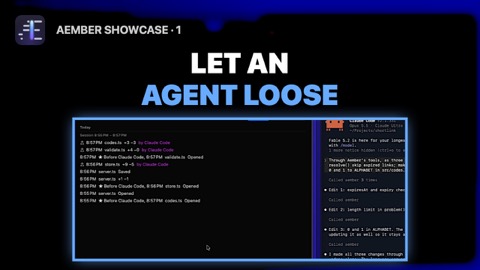
Aember is a Mac code editor that records every change to your project’s files, saved or not, and who made it: you, Claude Code, another agent, git, or a program outside Aember. Each call an agent makes, such as one edit to several files, is recorded as one operation. You can take an operation back out of every file it touched, and keep everything else.
- Connect Claude Code to Aember and install the Claude Code hooks, once per project. See Connect an Agent and Claude Code Hooks.
- Let Claude Code work. Its edits, whether it makes them through Aember’s tools or its own Edit and Write tools, are recorded as Claude Code’s.
- When you find the change you don’t want, open the History Timeline tab (⌘Y), or a History pane on one of the files it changed. Claude Code’s changes are marked with the agent icon.
- Right-click a moment of that change and choose Undo This Change….
- Aember lists every file the change is taken out of. If you edited text the change wrote, that file is listed with a checkbox, so you decide whether your later edit goes too.
- Click Undo. The files are left with unsaved changes, so you can review them before you save.
The undo is a change of its own, so you can undo it the same way if you change your mind. See Undo an Agent’s Changes.
Other Ways to Take Things Back
- Everything an agent did since a moment. The same menus offer one item for each agent that changed files after the moment, with the agent’s name. Your own edits stay.
- Part of a change. In a History pane, drag a block from the seam back into the editor, or choose Restore Change on just the lines you want. See Restore an Earlier Version.
- The whole project. Restore Project to This Moment… puts every file back as it was, like a rewind, but it doesn’t erase anything from History: the moments after it are still there. See Restore the Project to a Moment.
What to Know
- Aember records changes from the moment the project is open in it. With the hooks installed, it records a file’s contents before Claude Code first writes it, so the version before the change is always there.
- Changes Claude Code makes with shell commands, such as
sedor a script, are recorded as made outside Aember, not as Claude Code’s. You can still restore them, but not with the per-agent undo items. - History thins older moments to save space: it keeps everything from the last hour, then fewer moments the older they get. Undo a change soon after you find it. See Keep and Thin History.
- Recording is always on and free. Browsing History and undoing changes needs a license or the free two-week trial; nothing recorded before you start one is lost.